
Loading the verb list.
Pick fresh English verbs in seconds with our free random verb generator, which shows every verb alongside its past tense and past participle. Choose how many verbs you want and narrow them by letters, length and level, so every set suits the lesson or game you have in mind.
Teachers build vocabulary lists with it, and writers draw story prompts from it. Party hosts run whole rounds of charades from one page, and no verb returns until every matching verb has appeared once.
Random Verbs With Past Forms on Every Card
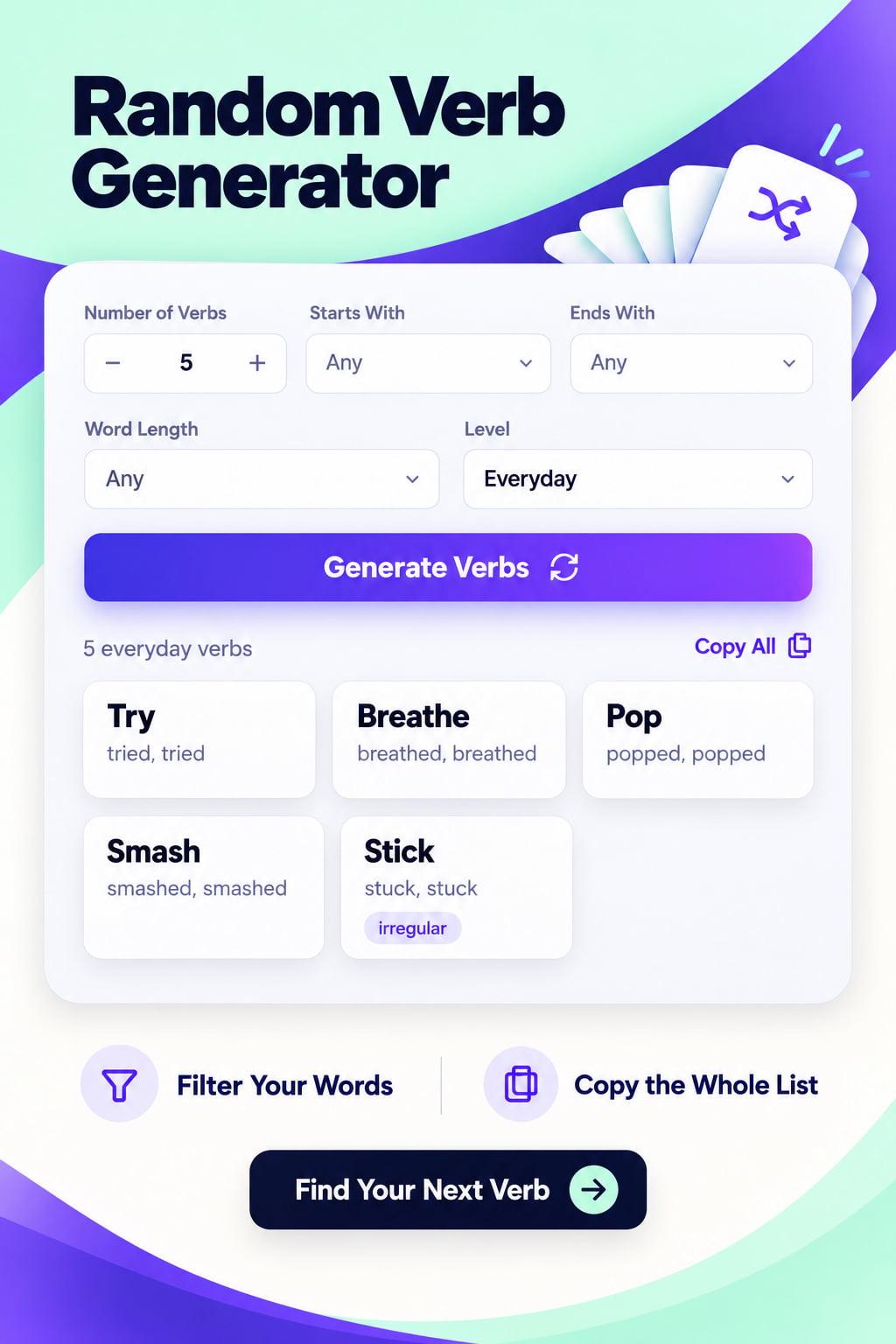
Most random word tools stop at the base form, which leaves you checking a verb chart for the rest. Our random verb generator places the past tense and past participle directly beneath each verb, so take is shown with took and taken.
Irregular verbs carry a small Irregular tag, which sets go, went and gone apart from verbs that add -ed. Where standard English accepts two past forms, the card shows both, such as learned alongside learnt.
A single verb is shown on one large card that stays readable from the back of a classroom. Larger sets appear as a tidy grid, and every verb starts with a capital letter.
Copying takes one tap. Tap any card to copy that verb, or press Copy All to copy the whole set. The full set pastes with one verb per line, ready for a worksheet or a slide.
Generate Random Verbs by Letter, Length and Level
Five settings stay visible at the top of the tool, and the results refresh the moment you change one. Together they turn a broad pool of verbs into the exact set you need.
Number of Verbs accepts any figure from 1 to 100. A single verb makes a quick prompt, while 10 random verbs form a short quiz. Set the number to 100 random verbs, and you have a full list for a class handout.
Starts With and Ends With filter verbs by their opening and closing letters. Enter re as the start and e as the end, and the results include receive, reduce and replace.
Word Length counts letters or syllables and matches them exactly, under or over a number you choose. That control suits crossword gaps, word-ladder puzzles and graded reading lists for younger learners.
Level sets the difficulty across Everyday, Intermediate, Advanced and All Levels. When a combination matches nothing, a short note explains why and adds a one-tap reset, so the screen never stays empty.
Random Irregular Verbs, Past Tense and -ing Forms
Three more settings sit behind the Advanced Options button, which opens its own panel directly beneath it. A small badge on the button shows how many of these settings you have changed, so nothing stays switched on by accident.
Random Irregular Verb Generator
Type limits each set to regular verbs, irregular verbs or both. Select Irregular, and the tool becomes a random irregular verb generator that returns verbs such as choose, swim and write with their full irregular forms. With this setting on, you have an instant source of past-form drills at any level.
Random Past Tense Verbs
Show As turns the tool into a random past tense verb generator by moving the past tense or the past participle into the large type. In past tense mode, go is shown as went and choose as chose, while the base form moves to the smaller line beneath. Past participle mode works the same way and shows gone and chosen.
Random Verbs Ending in -ing
A third Show As choice displays every verb in its -ing form, with the correct spelling already in place. Run becomes running and write becomes writing. Awkward spellings come out right as well, so lie becomes lying and a set of random verbs ending in -ing never shows a misspelled word.
Verbs Containing Specific Letters
Contains finds verbs with a letter group anywhere inside the word. A search for ou returns everyday verbs such as shout, touch and cough, which makes phonics practice on a single spelling far quicker to prepare.
Random Verbs for Kids, Learners and Advanced Writers
The Level setting matches the vocabulary to the person using it. Everyday is the default level, made up of the easy verbs that children and beginners learn first. Eat, jump and sing belong to this group. These verbs also work as random action verbs for charades and early speaking practice.
Anyone searching for a random verb generator for kids should stay on Everyday, because every verb there names a familiar daily action. Add Word Length set to one syllable, and the results stay short enough for early readers.
Intermediate verbs such as achieve, announce, encourage and recommend suit secondary students and workplace writing. Advanced verbs such as alleviate, articulate and reconcile belong to essays, exam preparation and formal reports. All Levels mixes the three, which turns the tool into a common verb generator with a broader range of difficulty.
How to Use the Random Verb Generator
The random verb generator opens with five Everyday verbs already on screen, so a first set is ready before you change any setting. From there, a few quick choices turn the page into a verb randomizer tuned to your task.
- Type a number from 1 to 100, or adjust it with the minus and plus buttons.
- Add starting letters, ending letters or a word length to narrow the results.
- Choose Everyday, Intermediate, Advanced or All Levels.
- Open Advanced Options when you want irregular verbs, past forms, -ing forms or letters inside the word.
- Press Generate Verbs, and press it again whenever you want a fresh set.
- Tap a card to copy one verb, or press Copy All to copy the whole set.
Reset, beside the title, clears every setting in one step and returns the tool to its starting view.
Random Verbs for Classrooms, Writing Prompts and Games
Random verbs fit almost any activity built around action words, and the settings shape each set around the task.
- Charades and acting games: One Everyday verb per press gives each player a fresh action, and the large card stays readable across the room.
- Creative writing prompts: Three random verbs make a compact constraint for a short story, while Advanced verbs raise the challenge for experienced writers.
- Irregular verb drills: Irregular verbs in past tense mode make a quick quiz, with learners naming the base form before checking the line beneath.
- Word puzzles: Starts With, Ends With and Word Length supply verbs that fit a crossword gap or a word-ladder rule.
- Vocabulary handouts: A list of random verbs copied with Copy All gives you the core of a class handout in seconds, and 20 random verbs suit a single lesson.
Questions About the Random Verb Generator
Q1. What is a random verb generator?
A random verb generator is an online tool that picks random English verbs from a word list. This one also shows the past tense and past participle of every verb. Settings for letters, length, level and verb type shape each set.
Q2. How many random verbs does one set include?
One set includes any number from 1 to 100 verbs. A single verb is shown on a large card, and larger sets form a grid. Copy All copies the full set with one verb per line.
Q3. Does the generator repeat verbs?
No, a verb does not return until every verb matching your settings has appeared once. After that, the order reshuffles and a new round begins. Changing a setting starts a fresh round for that combination.
Q4. How do I get only irregular verbs?
Open Advanced Options and select Irregular under Type. Every verb in the set is then tagged Irregular and shown with its full past forms. Set Show As to Past Tense, and the same set becomes a past tense drill.
Q5. Which level suits children and beginners?
The Everyday level suits children and beginners best, with common action verbs such as eat, jump and sing. It is the default level when the tool opens. Starts With or Word Length narrows it further for very young learners.
Q6. Is this random verb generator free?
Yes, the random verb generator is free and needs no account or sign-up. Everything you choose stays on your own device, and nothing you type is saved or shared.
Verb Forms, Nouns and Past Tense Tools
You might also like